
eFace Thermal Bill Printer
Free Chrome extension
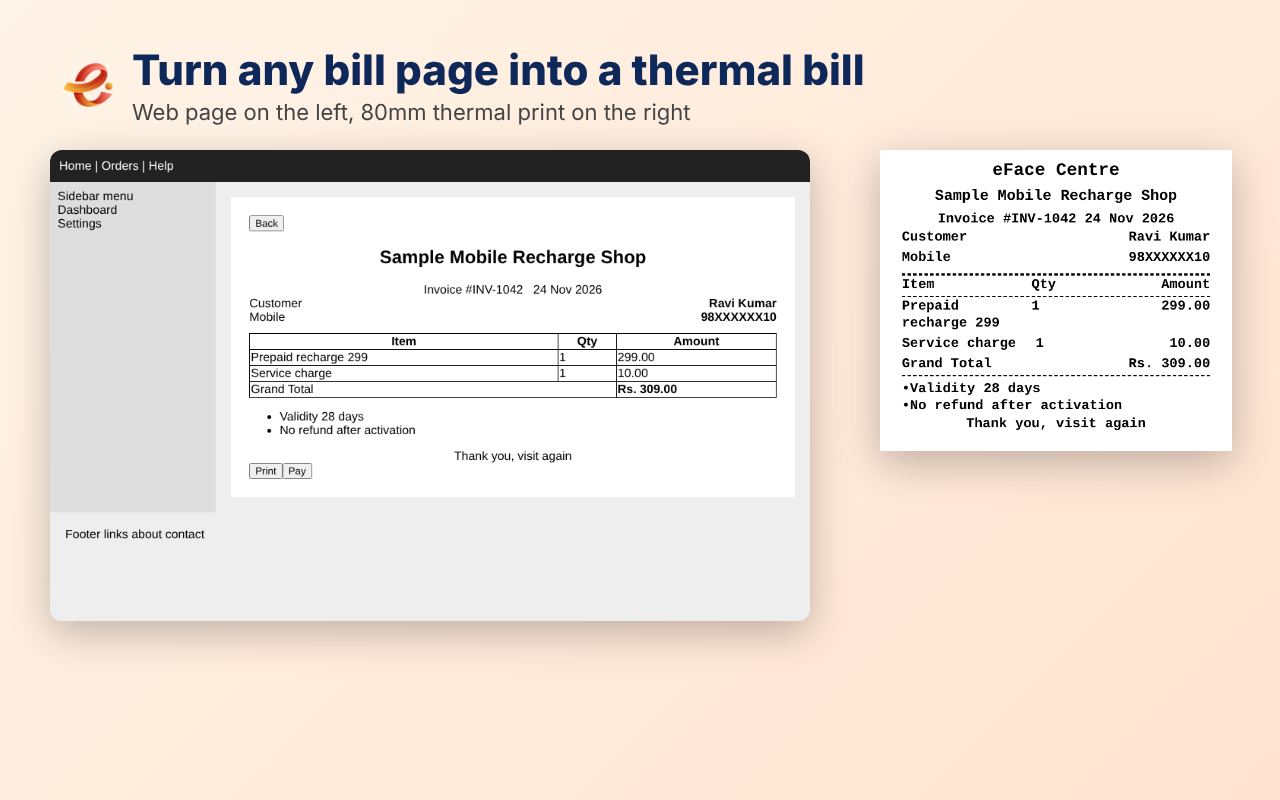
Open any bill, invoice or receipt in Chrome and print it as a compact thermal bill. The extension removes menus, buttons and clutter, then lays the bill out for 80mm or 58mm thermal paper (4×6 inch also available).
On the CSC Bill Payment receipt page you also get a floating Print button with extra sizes and optional auto-print.
--kiosk-printing to your Chrome shortcut target and set your thermal printer as the default printer.Is it really free? Yes, free for everyone right now. Optional paid features may be added later.
Does it store or send my bills? No. Everything happens in your browser. See the privacy policy.
Will every website look perfect? Most simple bill and invoice pages convert well. Very complex pages may need the Pick area option.