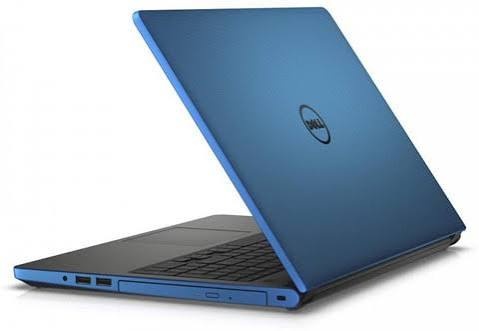
top 5 laptop brands in india under 50000
A ₹50,000 budget used to mean compromising on slow spinning hard drives, cheap plastic shells, and washed-out displays. It hits the sweet spot for everyday computing in India.
For around 50k, you can easily land a machine with an Intel Core i5 or AMD Ryzen 5, 16GB of RAM, a snappy 512GB SSD, and a crisp Full HD panel. The hard part isn’t finding a decent laptop—it’s dodging the duds and picking the right brand for your workflow.
The Top 5 Brands at a Glance
| Brand | Go-To Series | Best For | What to Expect |
| Lenovo | IdeaPad Slim 3, V-Series | All-rounders & coders | Great keyboards, reliable thermals, balanced specs |
| Acer | Aspire 3 / 5 | Pure performance per rupee | Aggressive hardware pricing (often packs 16GB RAM + i5) |
| ASUS | Vivobook Go 15, Vivobook 15 | Students & commuters | Slim, modern designs, good displays, solid battery life |
| HP | 15s, 250 G-Series | Office workers & daily use | Clean ergonomics, dependable after-sales network |
| Dell | Inspiron 15, Vostro 15 | Spreadsheets & long workdays | Sturdy chassis, utilitarian layout, easy port selection |
1. Lenovo: The Best All-Rounder
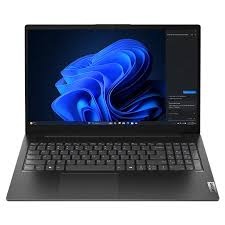
If you don’t want to overthink it, Lenovo is generally the safest bet under ₹50,000. Their IdeaPad Slim 3 lineup dominates this segment because it balances keyboard ergonomics, battery life, and thermals without major cut corners.
-
Why buy: Lenovo’s keyboards remain some of the best to type on for hours, making them great for coding, college assignments, and remote office work.
-
Watch out for: Base models often ship with dull 220–250 nit TN panels. Double-check that you’re picking an IPS screen with anti-glare.
2. Acer: Maximum Hardware per Rupee
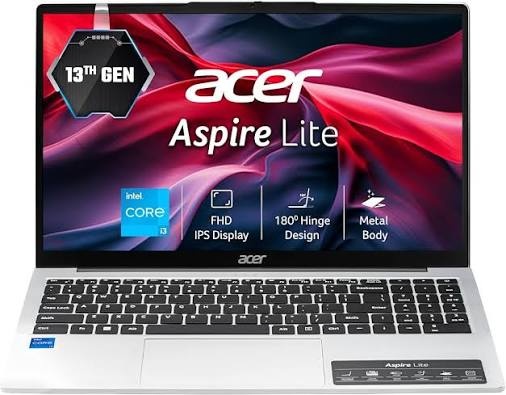
If your absolute priority is raw specs for your cash, start with the Acer Aspire series. Where competitors might give you an older Core i3 or Ryzen 3 with 8GB RAM at ₹42,000–₹45,000, Acer regularly manages to pack in a 13th-gen Core i5 or Ryzen 5 alongside 16GB of RAM out of the box.
-
Why buy: Unbeatable multitasking muscle. If you keep 30 Chrome tabs, Spotify, and VS Code open at the same time, this is the brand to look at.
-
Watch out for: Build quality feels noticeably more plasticky than Asus or Dell, and trackpads can feel mushy.
3. ASUS: Sleek and Portable
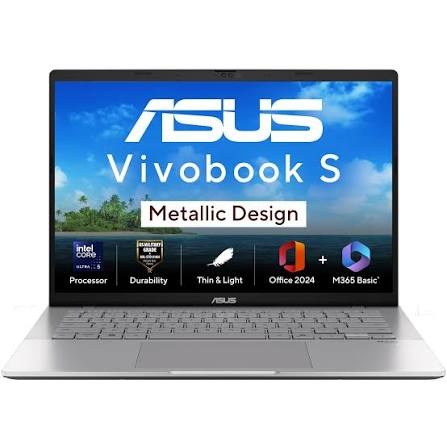
ASUS treats design seriously even in its entry-level Vivobook machines. If you have to pack your laptop into a backpack daily for college or client visits, ASUS typically builds the slimmest, lightest chassis in this bracket.
-
Why buy: Modern aesthetic, narrow display bezels, decent battery efficiency, and thoughtful features like physical webcam privacy shutters.
-
Watch out for: Soldered RAM. Many Vivobook models solder 8GB directly to the board with no secondary expansion slot. Always buy the 16GB variant if you want it to last three or four years.
4. HP: The Dependable Office Workhorse

HP’s budget 15s series is ubiquitous across Indian households and small offices for a reason: extensive service networks and predictable reliability. It rarely tops benchmark charts, but it gets the job done with zero drama.
-
Why buy: Hassle-free repairs across Tier-2 and Tier-3 Indian cities, comfortable full-sized keyboards with dedicated numpads, and solid day-to-day durability.
-
Watch out for: Beware of older inventory. Retailers love clearing out 11th- or 12th-gen Intel stock under the generic “HP 15” label. Check the exact processor code before paying.
5. Dell: Built for Productivity
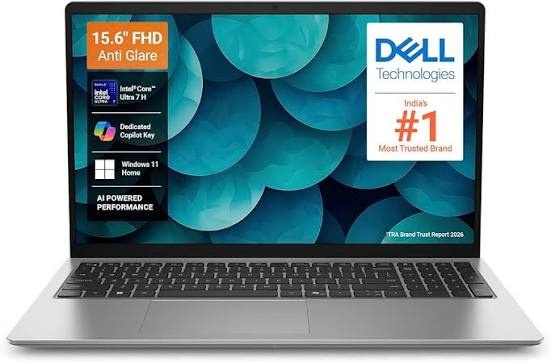
Dell’s Inspiron and budget Vostro lineups focus entirely on no-nonsense utility. They look plain, but they are built for daily office grinds—handling heavy Excel sheets, browser-based ERPs, and back-to-back Zoom calls.
-
Why buy: Practical lift-hinges that tilt the keyboard for better airflow and typing ergonomics, plus straightforward port layouts (HDMI, multiple USB-A, and SD slots).
-
Watch out for: Dell charges a brand premium. You’ll usually get slightly lower internal specs (like 8GB RAM instead of 16GB) compared to Acer or Lenovo at the exact same price.
The 2026 Buying Checklist: What to Look For
Never buy based on the sticker brand alone. Make sure the laptop you pick hits these minimum targets:
-
Processor: Don’t settle for Celeron, Pentium, or older Athlon chips. Look for at least an Intel Core i3 (12th gen or newer) or an AMD Ryzen 5 (5000/7000 series or above).
-
RAM: 16GB is the sweet spot today. If you buy an 8GB model to save ₹3,000, verify that the RAM is upgradable via an empty SO-DIMM slot.
-
Storage: Hard drives (HDDs) are obsolete. Demand a 512GB NVMe SSD. A 256GB drive fills up rapidly once Windows and a few core applications install.
-
Screen: Avoid 768p displays. Stick strictly to Full HD (1920×1080) panels. If you work near bright windows, prioritize IPS panels with at least 250–300 nits brightness.
Red Flags to Avoid
-
The “50% Off” Trap: An old laptop marked down from an inflated MRP isn’t a steal. Check when the CPU was launched.
-
Buying for Gaming: A standard ₹50,000 laptop relies on integrated graphics (Intel Iris Xe or AMD Radeon). You can play casual titles like Valorant or GTA V at low-to-medium settings, but these are not dedicated gaming rigs.
-
Chromebook Confusion: Don’t accidentally buy a ChromeOS device expecting full Windows software support. Unless your entire life runs in Google Chrome, stick to Windows 11 Home.